


JAMB Enables Direct Acceptance and Rejection of Admission Offers on CAPS: Complete Step-by-Step Guide

QUICK TRANSFERS, Pay into this Account:
1481900827 | ACCESS BANK | EMMANUEL OLUWASEUN OTOBOR
Once your payment is successful kindly send the “PAST QUESTION” you need, your “ACCOUNT NAME” and “EMAIL ADDRESS” to 08039822082. or info@mannyspark.com


JAMB Enables Direct Acceptance and Rejection of Admission Offers on CAPS: Complete Step-by-Step Guide
Securing admission into a tertiary institution in Nigeria is a major milestone for every aspiring candidate. For years, candidates across the country have eagerly anticipated the release of their admission status on the official JAMB portal. Once an offer of admission is extended, taking immediate and correct action is critical to securing that seat.
In a significant upgrade to tertiary admissions processing in Nigeria, the Joint Admissions and Matriculation Board (JAMB) has enabled candidates to accept or reject their admission offers directly through the Central Admissions Processing System (CAPS) online. This modern update eliminates many of the bottlenecks previously experienced by candidates, offering a seamless, digital route to finalize admission status without mandatory travel or reliance on SMS shortcodes.
2. About JAMB

JAMB Enables Direct Acceptance and Rejection of Admission Offers on CAPS: Complete Step-by-Step Guide
The Joint Admissions and Matriculation Board (JAMB) is Nigeria’s official entrance examination board for tertiary-level institutions. Established to ensure transparency, meritocracy, and standardization in tertiary admissions, JAMB oversees admissions into federal, state, and private universities, polytechnics, colleges of education, and innovation enterprise institutions across the federation.
Location & Regional Reach
-
National Headquarters: Bwari, Abuja, Federal Capital Territory (FCT), Nigeria.
-
Zonal & State Offices: JAMB maintains fully operational state offices and approved Computer-Based Test (CBT) centers across all 36 states of Nigeria and the FCT.
-
Infrastructure & Reputation: Driven by continuous technological innovation, JAMB’s Central Admissions Processing System (CAPS) provides automated, transparent, and fair admission processing for millions of Nigerian youths annually.
3. Admission Form Overview
JAMB Enables Direct Acceptance and Rejection of Admission Offers on CAPS: Complete Step-by-Step Guide
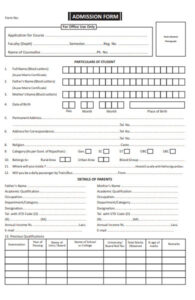
The Central Admissions Processing System (CAPS) portal serves as the official central engine for all tertiary admission offers in Nigeria. Under this updated system, candidates who have been recommended for admission by their chosen institution can log into their personal profile and declare their decision immediately.
Historically, candidates relied heavily on sending specific SMS commands to shortcodes (such as 55019 or 66019) using their registered phone lines or visiting accredited CBT centers for biometric verification. While those methods served an important purpose, the newly activated direct portal functionality offers a completely web-based alternative accessible directly from your phone, tablet, or personal computer.
4. Courses / Programmes Offered

JAMB Enables Direct Acceptance and Rejection of Admission Offers on CAPS: Complete Step-by-Step Guide
JAMB CAPS manages admission processing across all tertiary academic disciplines in Nigeria. Below is an overview of the major academic faculties and sample programmes covered under the system:
5. Eligibility Requirements

JAMB Enables Direct Acceptance and Rejection of Admission Offers on CAPS: Complete Step-by-Step Guide
To accept or reject an admission offer on the JAMB CAPS portal, candidates must satisfy the following core requirements:
-
Valid JAMB Registration Number: Must have sat for the Unified Tertiary Matriculation Examination (UTME) or applied via Direct Entry (DE) for the current academic session.
-
Active JAMB e-Facility Account: Access to the registered email address and password associated with the candidate’s profile.
-
Uploaded O’Level Results: Successful upload of verified WAEC, NECO, NABTEB, or equivalent O’Level results onto the JAMB portal.
-
Institutional Recommendation: Official recommendation for admission by the candidate’s chosen university, polytechnic, or college of education.
6. Application Procedure
JAMB Enables Direct Acceptance and Rejection of Admission Offers on CAPS: Complete Step-by-Step Guide
Follow these detailed step-by-step instructions to respond to your admission offer directly through the portal:
Step 1: Access the JAMB e-Facility Portal
Open your web browser (Google Chrome or Mozilla Firefox recommended) and visit the official portal at efacility.jamb.gov.ng.
Step 2: Log In to Your Profile
Enter your registered Email Address and Password in the required fields, then click Login.
Step 3: Switch to Desktop Mode (Mobile Users)
If using a mobile smartphone, tap the three vertical dots at the top right corner of your browser and select “Desktop site” to ensure all portal options render correctly.
Step 4: Locate and Access CAPS
Scroll through your dashboard menu and click on “Check Admission Status”. Select your examination year, enter your JAMB Registration Number, and click on “Access my CAPS”.
Step 5: Check Admission Status
On the left-hand sidebar of the CAPS dashboard, click on “Admission Status”.
Step 6: Accept or Reject Offer
If you have been offered admission, your screen will display your candidate details along with two prominent action buttons: “Accept Admission” and “Reject Admission”.
-
Click “Accept Admission” if you accept the seat offered to you.
-
Click “Reject Admission” if you wish to decline the offer and remain open for other institutional considerations.
Accept or Reject Admission Offer!
7. Application Fee & Payment Details

JAMB Enables Direct Acceptance and Rejection of Admission Offers on CAPS: Complete Step-by-Step Guide
Responding to your admission offer directly on the JAMB CAPS portal is completely free of charge. However, candidates should keep the following routine administrative charges in mind:
8. Important Dates / Deadline

JAMB Enables Direct Acceptance and Rejection of Admission Offers on CAPS: Complete Step-by-Step Guide
-
Portal Activation Date: Currently Active for the ongoing academic admission exercise.
-
Admission Acceptance Window: Candidates are strongly advised to accept or reject their offers within fourteen (14) days of receiving an offer on CAPS.
Note: Failure to accept an admission offer within the stipulated period may result in the automatic forfeiture of the offer, allowing the institution to reassign the slot to another candidate on the waiting list.
9. Required Documents

JAMB Enables Direct Acceptance and Rejection of Admission Offers on CAPS: Complete Step-by-Step Guide
Before proceeding to print your official documents after accepting your admission, ensure you have the following credentials ready:
-
JAMB Original Result Slip
-
O’Level Certificate / Statement of Results (WAEC, NECO, or NABTEB)
-
Birth Certificate or Age Declaration
-
Local Government Identification Letter
-
Passport Photographs (White background)
10. Need Help With Admission?
Navigating tertiary admissions, portal glitches, O’level result uploads, or course adjustments can sometimes feel overwhelming. If you encounter any technical difficulties or need professional guidance regarding your JAMB CAPS admission status, our dedicated education consultancy team is ready to assist you. Contact us
11. Important Notice Section

JAMB Enables Direct Acceptance and Rejection of Admission Offers on CAPS: Complete Step-by-Step Guide
⚠️ KEY REMINDERS FOR ALL CANDIDATES
Irreversible Decision: Once you click “Accept Admission”, the choice is permanent and cannot be reversed to enable another school to offer you admission for the same academic session.
Avoid Fraudulent Portals: Ensure you only enter your login credentials on the official portal domain (
efacility.jamb.gov.ng). Never share your password or pin with unverified third parties.Verify O’Level Upload: Always ensure your O’Level results are properly captured on CAPS before expecting an admission offer. Candidates with pending O’Level results will not be processed for admission.
Print Your Admission Letter: After accepting an offer, proceed immediately to generate and print your official JAMB Admission Letter for clearance at your institution.
“Success is no accident. It is hard work, perseverance, learning, studying, sacrifice and most of all, love of what you are doing or learning to do.” — Pelé
Related posts:




 Message Dr. MANNY on WhatsApp
QUICK TRANSFERS, Pay into this Account:
1481900827 | ACCESS BANK | EMMANUEL OLUWASEUN OTOBOR
Once your payment is successful kindly send the “PAST QUESTION” you need, your “ACCOUNT NAME” and “EMAIL ADDRESS” to 08039822082. or info@mannyspark.com